

🎥 Video walkthrough
Step-by-step guide
1
General Settings
Configure your agency’s basic branding and legal information.
- Name: Enter your agency name
- Custom Logo: Upload your brand logo
- Favicon Logo: Upload a favicon for browser tabs
- Privacy Policy URL: Add your privacy policy link
- Terms & Conditions URL: Add your terms page
- Website URL: Enter your agency website
2
Custom Domain Setup
Configure a custom domain for white-label access.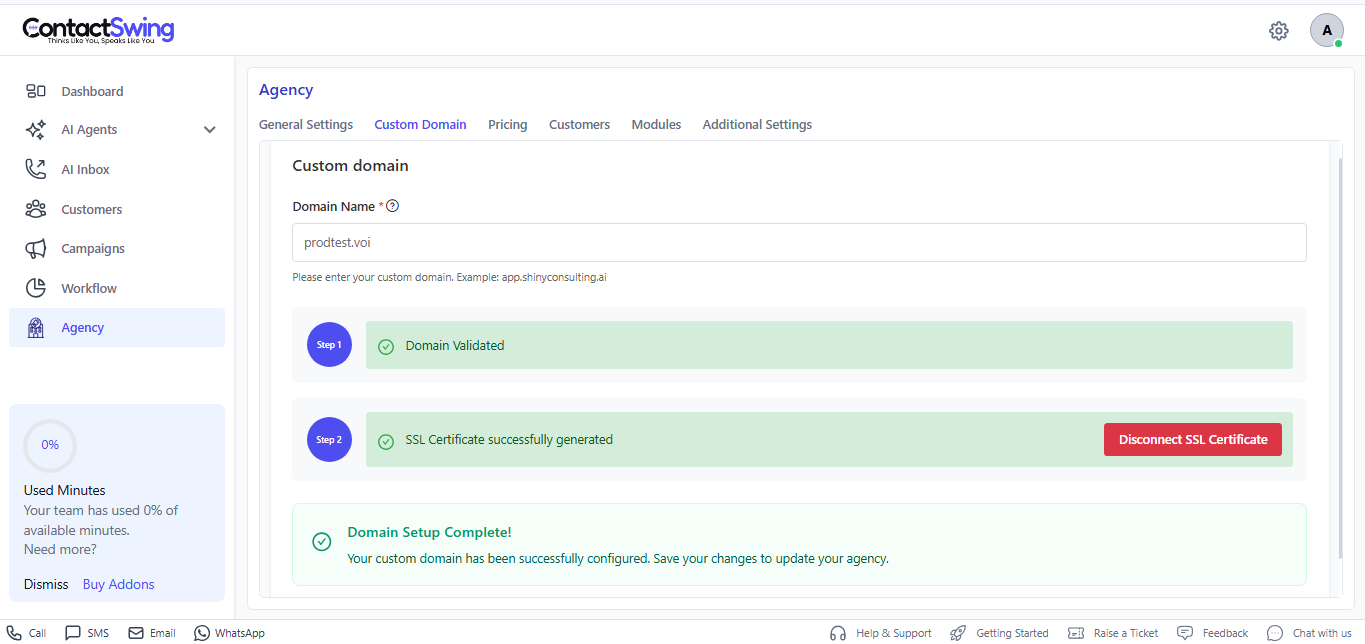
- Domain Name: Enter your custom domain
- Ensure the SSL certificate is generated and active
3
Pricing Configuration
Set up billing by connecting your Stripe account.
- Select Country
- Click Connect to link your Stripe account
4
Customer Management
Add and manage your customers here.
Each added customer (User B) will access the platform under your agency configuration.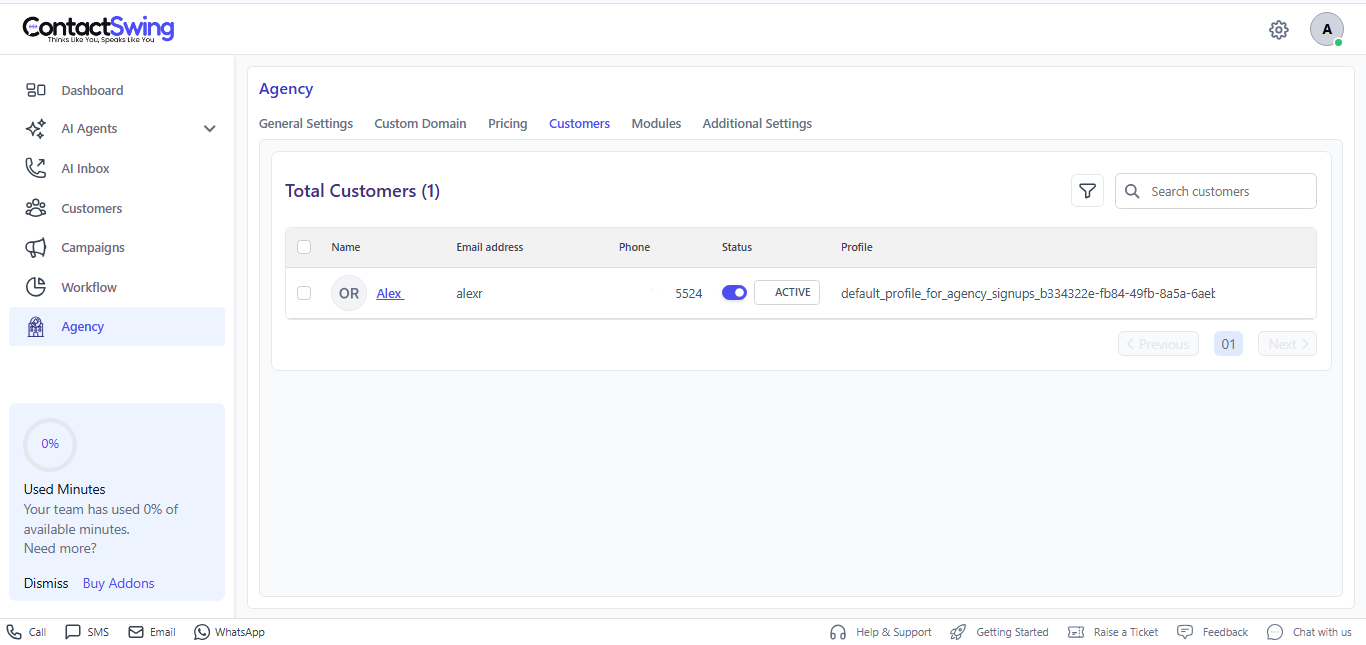
Each added customer (User B) will access the platform under your agency configuration.
- Click Add Customer
- Enter customer details
5
Module Access Control
Enable the modules you want to provide access to your customers.Available modules include:
- Actions
- Visibility
- Integrations
- Assistants
- Billing
- Call
- AI Inbox
- Campaigns
- Chat Assistant
- Customers
- Emails
- Knowledge Base
- Phone Numbers
- SMS AI Agent
- User and Controls
- Users
- Voice AI Agent
- Assistant Template
- Email AI Agent
6
Additional Settings
Configure support and email preferences.
- ContactSwing Help Center: Enable if support access is required
- Email Configuration: Set up outbound email settings
- All branding, domain, and pricing are fully controlled by the agency.
- Customers access the platform using the agency’s configured domain and branding.
- Module permissions can be updated at any time.