

🎥 Video walkthrough
1
Accessing the Email Inbox
To view your email records, access the Email Inbox area. Here, you can examine replies created by the AI Agent and keep track of automated responses handled by AI email tools. 🤖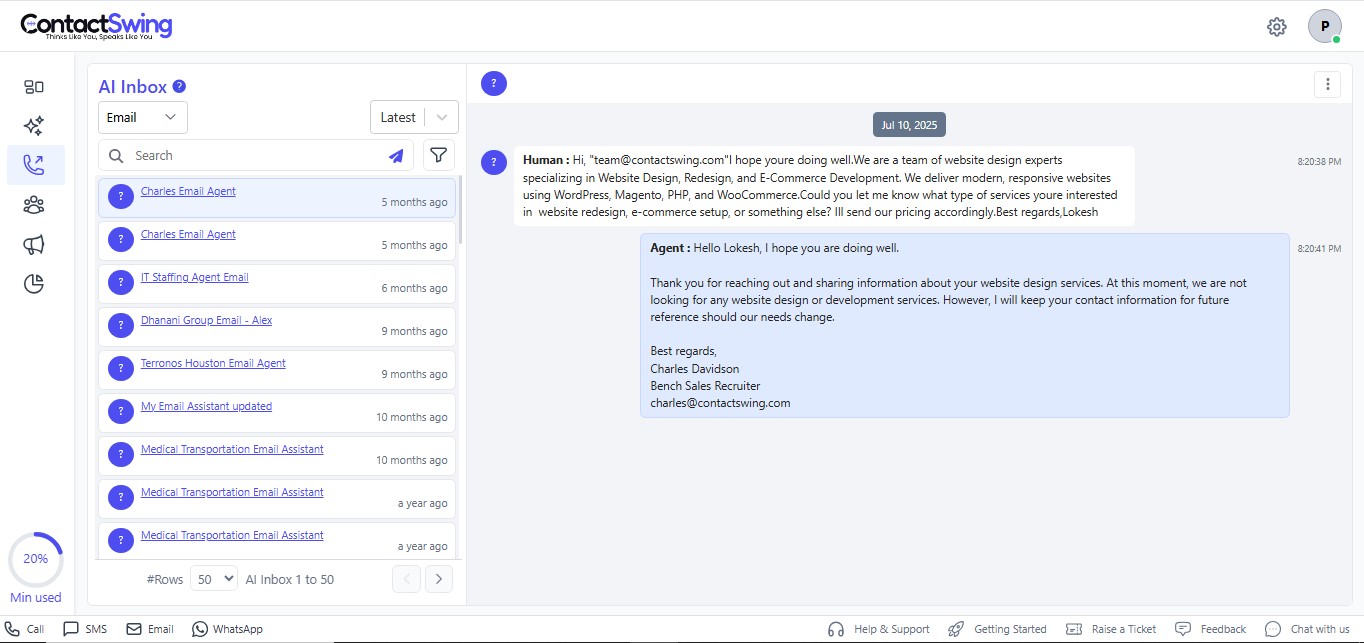
2
Search Email in the inbox
Utilize the search bar within the Inbox to locate specific Email.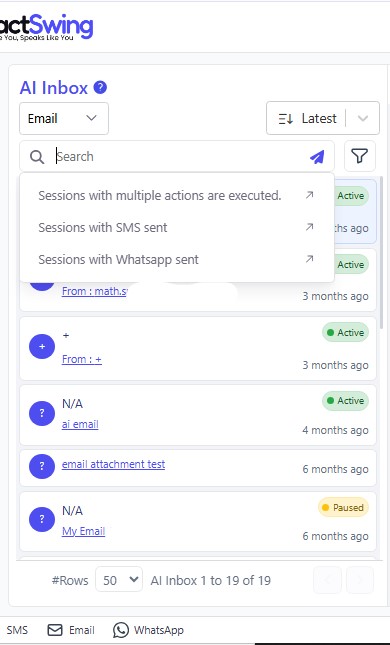
3
Use filters to find Email logs
Filter your Email using these options: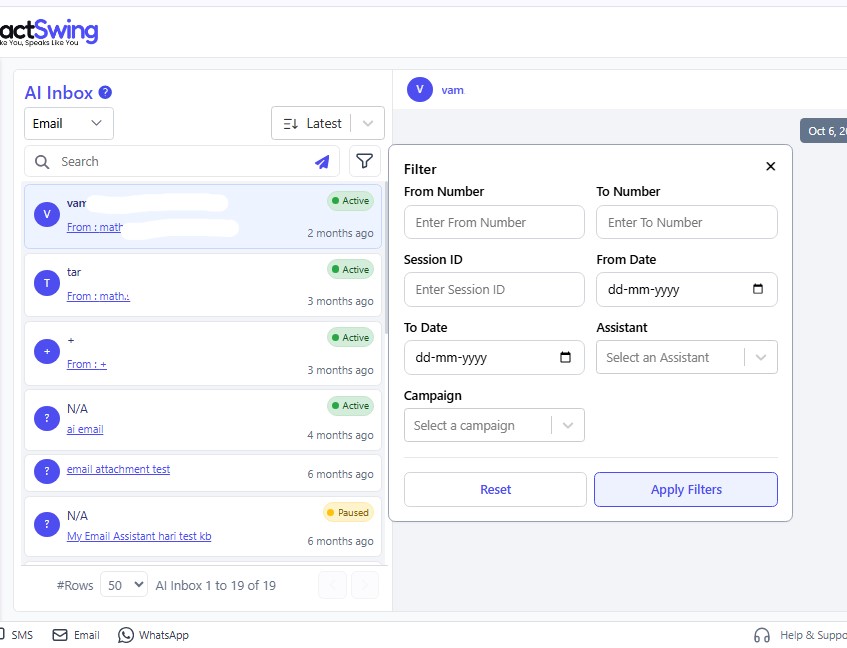
- From: Enter the number from which you received the Email.
- To: Input the destination number of the Email.
- Session ID: Retrieve logs by entering the session ID.
- AI Agent: Filter entries by selecting a particular agent.
- Date: Filter by date range (From and To).
- Campaign: Filter by campaign name.
Additional Capabilities
The AI Email Management Interface enables you to:- Optimize automation workflows for timely, accurate communication.
- Enhance engagement using AI-powered messaging for sales, support, and outreach.