> ## Documentation Index
> Fetch the complete documentation index at: https://docs.contactswing.ai/llms.txt
> Use this file to discover all available pages before exploring further.
# Staffing Platform Overview
> Comprehensive overview of the Staffing feature and its smart automation capabilities.
## 🎥 Video walkthrough
* Effortlessly **import and export all consultants** in bulk with just a few clicks.
* Manage consultant data such as **full name, email address, and phone number** directly from the dashboard.
* Clicking on a consultant’s name opens a **detailed profile** showing:
* Email, phone number, job title
* Total experience
* Address summary
* Education and certifications

 - View all **jobs suitable for this consultant**.
- Apply filters to find the most relevant job openings.
- Send job details directly via **SMS, email, or call**.
- Easily manage consultant–job matching to speed up placements.
- View all **jobs suitable for this consultant**.
- Apply filters to find the most relevant job openings.
- Send job details directly via **SMS, email, or call**.
- Easily manage consultant–job matching to speed up placements.
 * Maintain consultant-specific **notes, tasks, timelines, and documents**.
* Keep track of recruiter interactions and progress in one place.
* Enhance coordination across the staffing team with context-based updates.
* Maintain consultant-specific **notes, tasks, timelines, and documents**.
* Keep track of recruiter interactions and progress in one place.
* Enhance coordination across the staffing team with context-based updates.
 * View and manage all **job requirements** in a unified dashboard.
* **Import or export** job data effortlessly.
* Clicking any job reveals its full details:
* Job title, duration, type, and shift (day/night)
* Status (open/closed) and start date
* Job specialty, bill rate, and complete description
* View and manage all **job requirements** in a unified dashboard.
* **Import or export** job data effortlessly.
* Clicking any job reveals its full details:
* Job title, duration, type, and shift (day/night)
* Status (open/closed) and start date
* Job specialty, bill rate, and complete description

 - Displays all **consultants suitable for this job**.
- View contact info (phone, email, address) directly.
- Click a consultant’s name to view complete details — experience, education, and history.
- Displays all **consultants suitable for this job**.
- View contact info (phone, email, address) directly.
- Click a consultant’s name to view complete details — experience, education, and history.
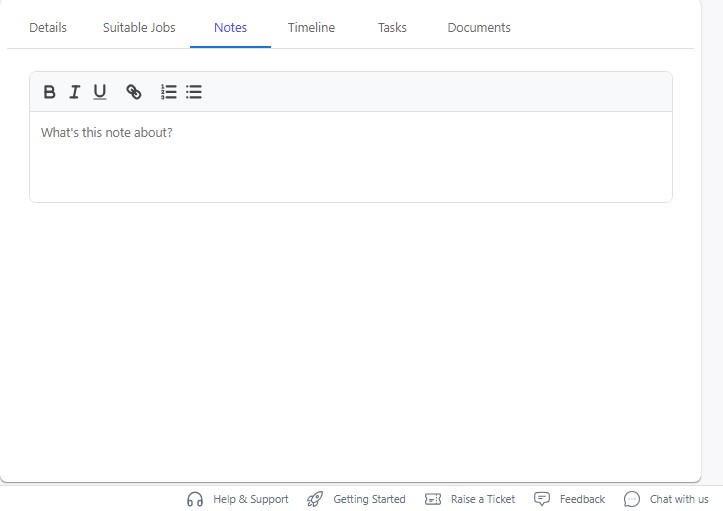
 * Add or review **job-related notes** shared by recruiters or managers.
* Track updates, follow-ups, and collaboration comments.
* Add or review **job-related notes** shared by recruiters or managers.
* Track updates, follow-ups, and collaboration comments.
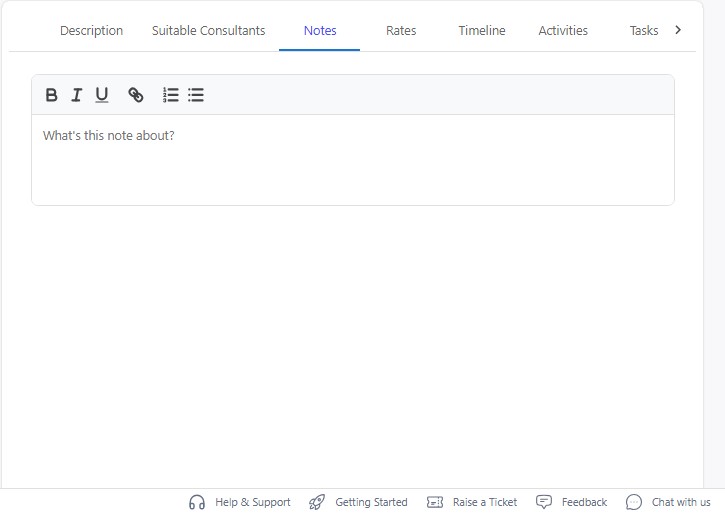 * View detailed **rate and allowance breakdowns**, including:
* Weekly non-taxable allowance
* Housing allowance
* Total hourly rate and bill rate
* Pay per hour
* Shift and overtime rates (extended rates, from–to values)
* View detailed **rate and allowance breakdowns**, including:
* Weekly non-taxable allowance
* Housing allowance
* Total hourly rate and bill rate
* Pay per hour
* Shift and overtime rates (extended rates, from–to values)
 * Provides a direct **application link** where consultants can apply to this job.
* Useful for tracking job applications submitted via the consultant portal.
* Provides a direct **application link** where consultants can apply to this job.
* Useful for tracking job applications submitted via the consultant portal.
 * Configure your **company branding and job board appearance**.
* Upload your **company logo** and define your **career page URL slug** (your hosted job board link).
* Configure your **company branding and job board appearance**.
* Upload your **company logo** and define your **career page URL slug** (your hosted job board link).
 * Add all relevant links:
* LinkedIn, Twitter, Facebook, Instagram
* About Us, Contact Us
* Assign a **chat assistant** to respond to consultant inquiries.
* Configure **email settings**:
* Default From, To, CC, and BCC email addresses
* Add all relevant links:
* LinkedIn, Twitter, Facebook, Instagram
* About Us, Contact Us
* Assign a **chat assistant** to respond to consultant inquiries.
* Configure **email settings**:
* Default From, To, CC, and BCC email addresses
 * Customize sections for your job board:
1. **Why Choose Us** — Add image, title, and description highlighting company strengths.
* Customize sections for your job board:
1. **Why Choose Us** — Add image, title, and description highlighting company strengths.
 2. **Benefits** — Showcase employee or consultant benefits with images and short blurbs.
3. **Testimonials** — Upload consultant feedback with images and descriptions.
2. **Benefits** — Showcase employee or consultant benefits with images and short blurbs.
3. **Testimonials** — Upload consultant feedback with images and descriptions.
 * Includes a **live preview** of your configured job board.
 * View detailed **system logs** for all staffing activities.
* Tracks:
* Consultant imports/exports
* Job updates
* Messages and task assignments
* Every action is **timestamped** and linked to a user for accountability.
* Filter and search logs for quick insights.
* Ensures a **transparent and auditable workflow**.
* View detailed **system logs** for all staffing activities.
* Tracks:
* Consultant imports/exports
* Job updates
* Messages and task assignments
* Every action is **timestamped** and linked to a user for accountability.
* Filter and search logs for quick insights.
* Ensures a **transparent and auditable workflow**.
 * On this page, you can view all applications received through the job apply URL, along with key details such as the applicant’s information, applied position, and submission status.
